Swiss.
A brand guidelines template on a ruled page, where the type does the work: the brand’s name large in two tones, a numbered heading over each section and square corners throughout.
Updated
In short. Swiss is a Linyal brand guidelines template for a ruled page where type does the work: the brand’s name and Brand Guidelines set large in two tones on the cover, a numbered ruled heading over each section, square corners, and a colour table with one row per colour. It draws the brand’s measured logo, colours and fonts.
What it looks like
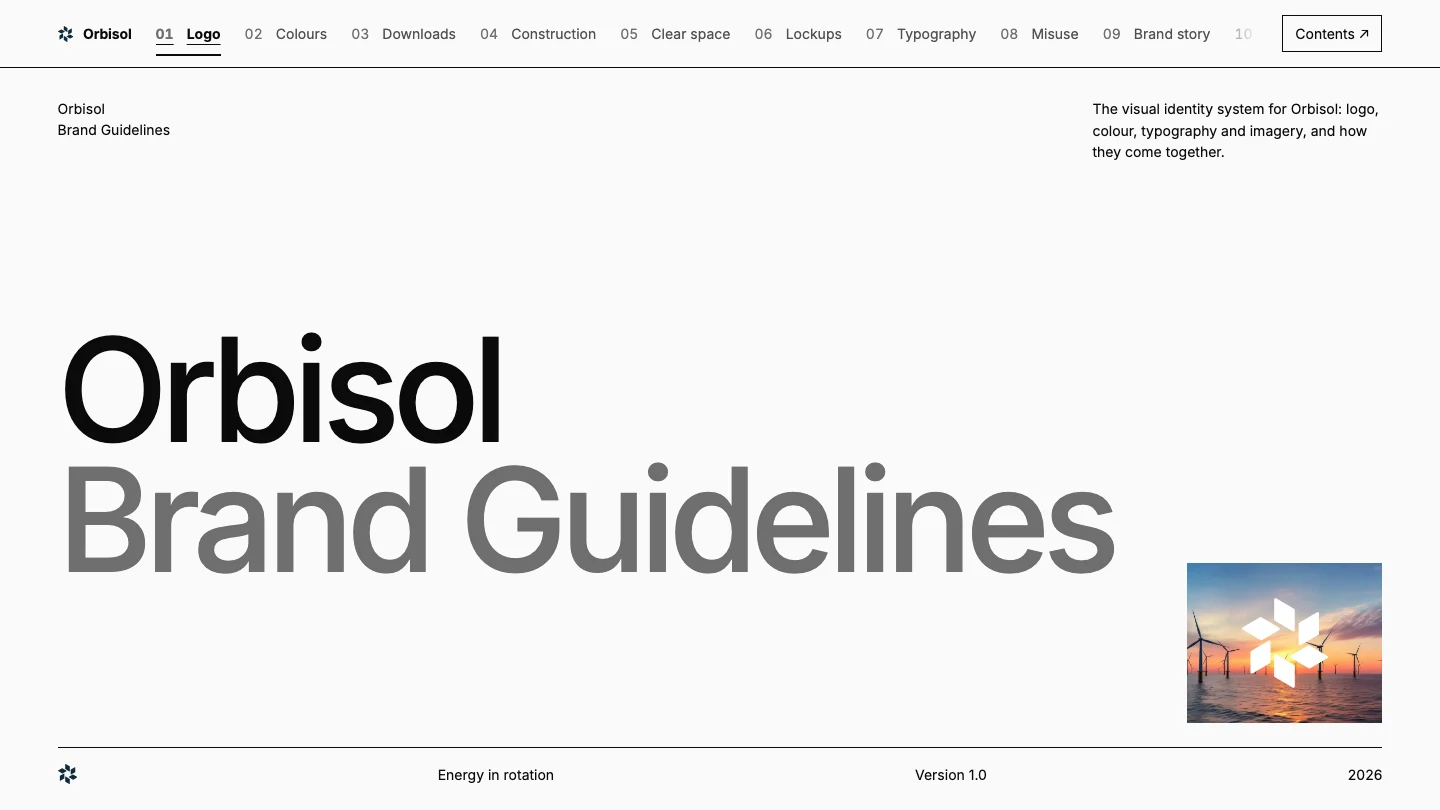
- Cover
- Masthead: the brand’s name over Brand Guidelines in two tones, the cover picture when there is one, and one ruled line of facts: the mark, the tagline, the version and the year.
- Sections
- A numbered, ruled heading over each, with the number above the title in a quieter tone. The bar with the sections stays at the top as you read.
- Corners
- Square, everywhere.
- Clear space
- Drawn as architects draw a dimension: bars one x long on hairlines, each labelled x.
Layouts and settings
Swiss has a Colours layout no other template has: Table, a ruled table with one row per colour, its chip, name, use and values. Beside it:
- Logo
- Lead or Even
- Colours
- Tiles or Bands
- Typography
- Specimens or Poster
- Lockups
- Grid or Tiles
- Applications
- Stages, Grid, Masonry or Carousel
- Showcase
- Grid, Masonry, Full-bleed or Carousel
- Voice and tone
- Stacked or Split
- Misuse
- Grid or Pairs
Every other section is drawn in its standard layout. The Style tab has Type scale and Spacing.
Who it suits
- A brand built on type, or one whose logo is a wordmark.
- Architecture, engineering, technology and other brands that want precision before decoration.
- A guideline people will scan for values: the colour table puts every value in one place.
What every template holds
The template sets the look. What the guideline says is the brand’s, and it is the same in all four: the logo measured in Illustrator, its construction and clear space, the colours with their values, the typefaces, and the words and pictures you add.
- A new guideline opens with twelve sections: Logo, Colours, Downloads, Construction, Clear space, Lockups, Typography, Misuse, Brand story, Imagery, Pattern and Applications.
- You can add more, such as Voice and tone, Icons, Illustration, Motion, Social, Accessibility, Contact, a Showcase of the work, or a free section of your own.
- Every template is set in the brand’s own colours and fonts.
- The Style tab has Type scale (Compact, Standard, Large) and Spacing (Tight, Standard, Airy) in every template.
- Every template prints to a PDF from the same page.
- The client approves a version through a review link, with no account. You can share it with a password, or publish it at its own address.
Questions
- Why is it called Swiss?
- After the International Typographic Style that came out of Switzerland in the 1950s: a grid, ruled lines, sans-serif type set large and little else. The template follows it; the type is always the brand’s own.
- Can I switch template after I start?
- Yes, at any time in the builder. The content stays as it is. A layout you chose is kept where the new template has it; where it doesn’t, the new template draws its own default and your choice is kept for when you switch back.
- Is the template free?
- The four templates are part of the Workspace: €10 a month at launch, then €20, free for 30 days with no card. A company can also start on its own and build its guideline from the same four templates.